2018 Honda Pilot Owner’s Manual — Blind Spot Information
DRIVING
(BSI)*
Alerts you to a detected vehicle in the left or right side adjacent lane while driving 20 mph (32 km/h) or higher.
When a vehicle is detected in the alert zone, the blind spot indicator turns on and stays lit until the zone is clear. The alert zone is approximately along the rear-half of the vehicle to half a car-length back.
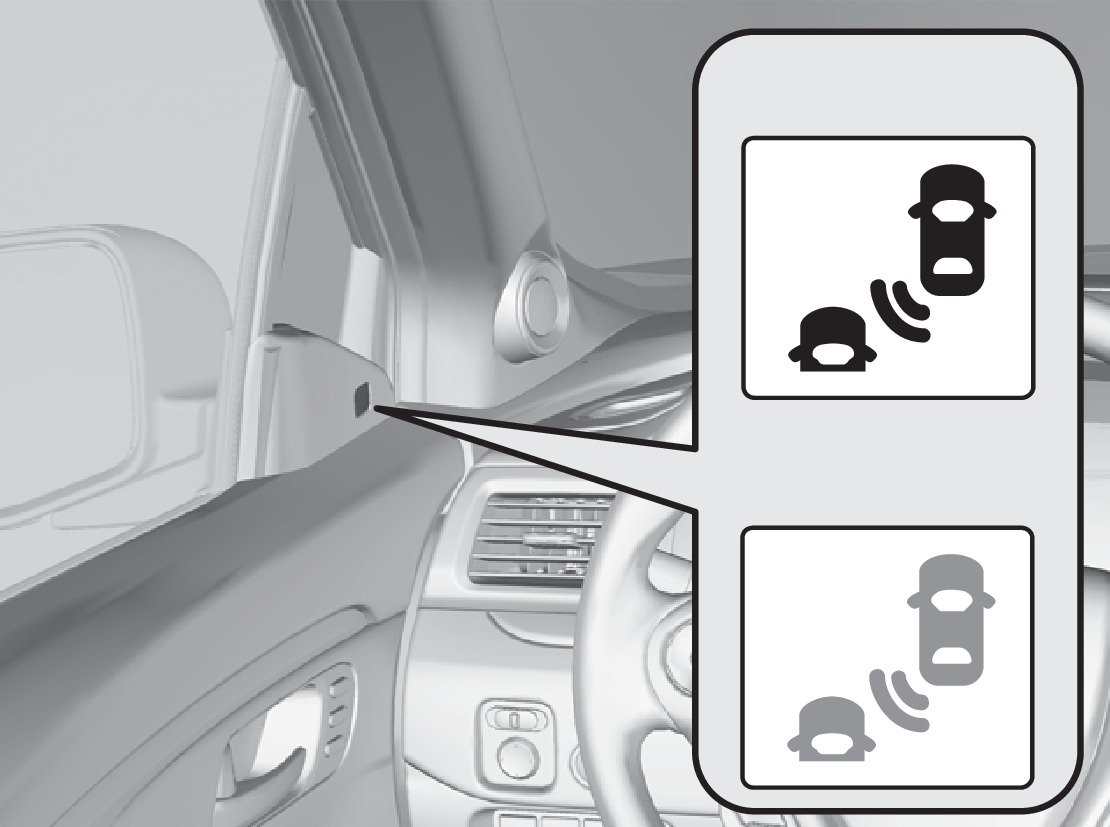
Comes on
Blinks
When your turn signal is on and a vehicle is detected, the blind spot indicator blinks and a beep sounds until the area is clear or the turn signal is off.
Changing Settings
Determine the warning type, or turn the system off. The vehicle must be in Park (P).
- From the Home screen, select Settings.
- Select Vehicle.
- Select Driver Assist System Setup.
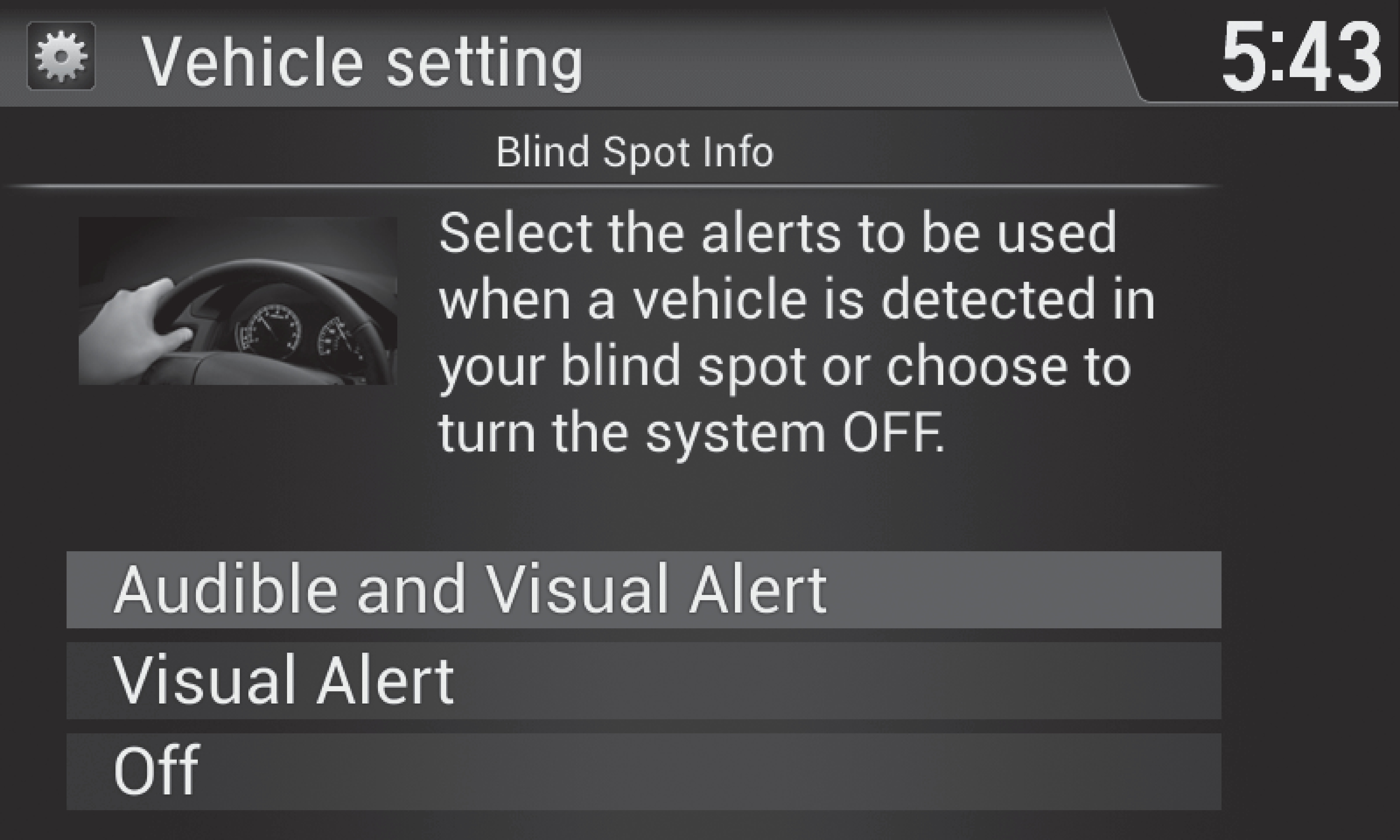
- Select an alert type or turn the system off.
- Press BACK to exit the menu.
Important Safety Reminder
Like all assistance systems, BSI has limitations. Over-reliance on the system may result in a collision. The system is for your convenience only.
Failure to visually confirm that it is safe to change lanes before doing so may result in a crash and serious injury or death. Do not rely only on the blind spot information system when changing lanes.
Always look in your mirrors, to either side of your vehicle, and behind you for other vehicles before changing lanes.
*if equipped
Stored owner’s manualImported HTML from the shared Autotk manuals tables. Not an official Toyota site.