2018 Honda Pilot Owner’s Manual — Customized Features
VEHICLE CONTROLS
Use the Settings menu to customize certain features when the vehicle is stopped.
Using the Color Audio*
Use the selector knob to make and enter selections.
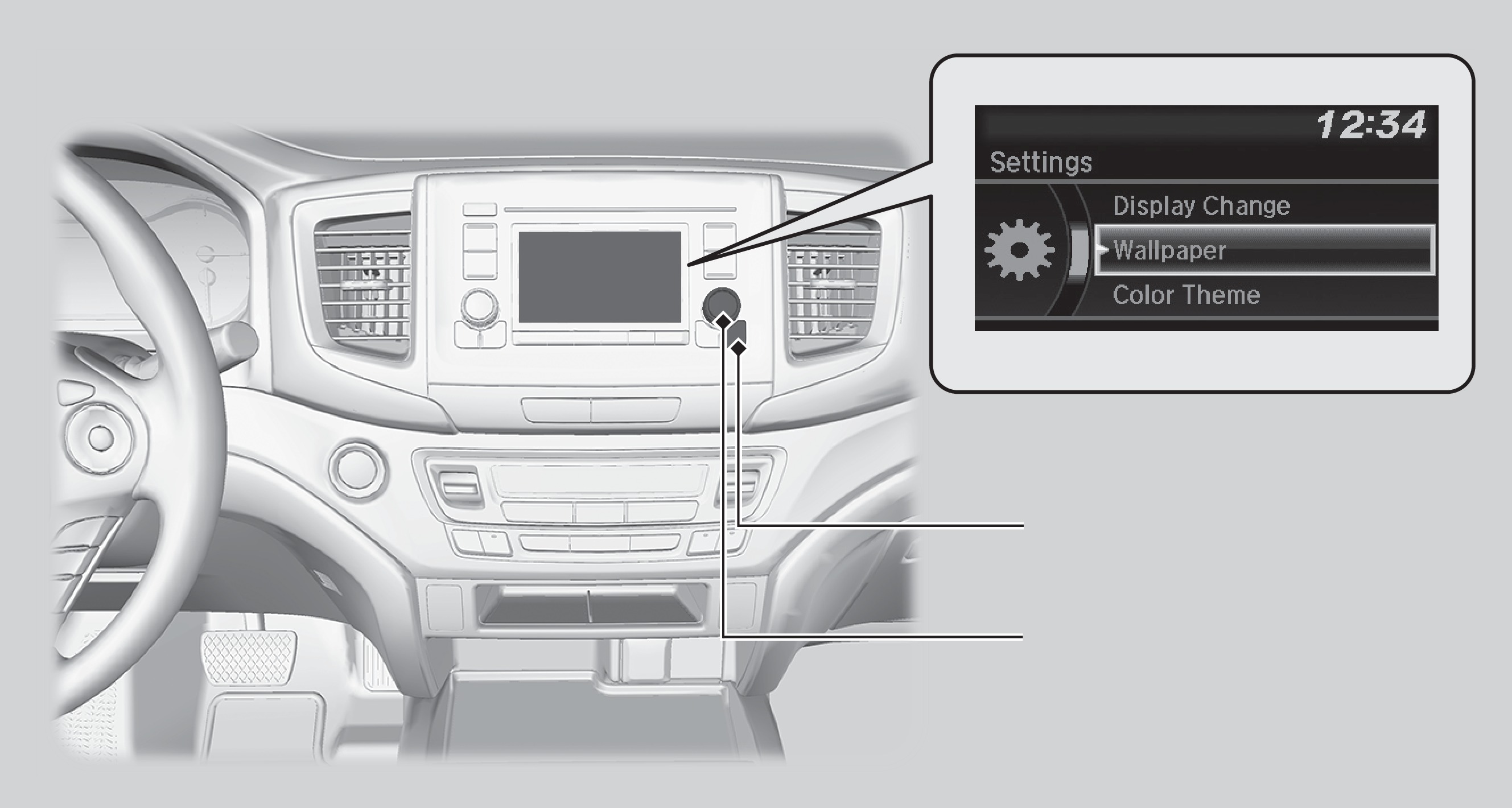
MENU/CLOCK button
Selector knob
- Press and hold the MENU/CLOCK button.
- Select Settings.
- Select a setting option, and make your preferred changes.
- Press the Back button to exit the menus.
Using the Display Audio*
Select items on the touchscreen to make selections.
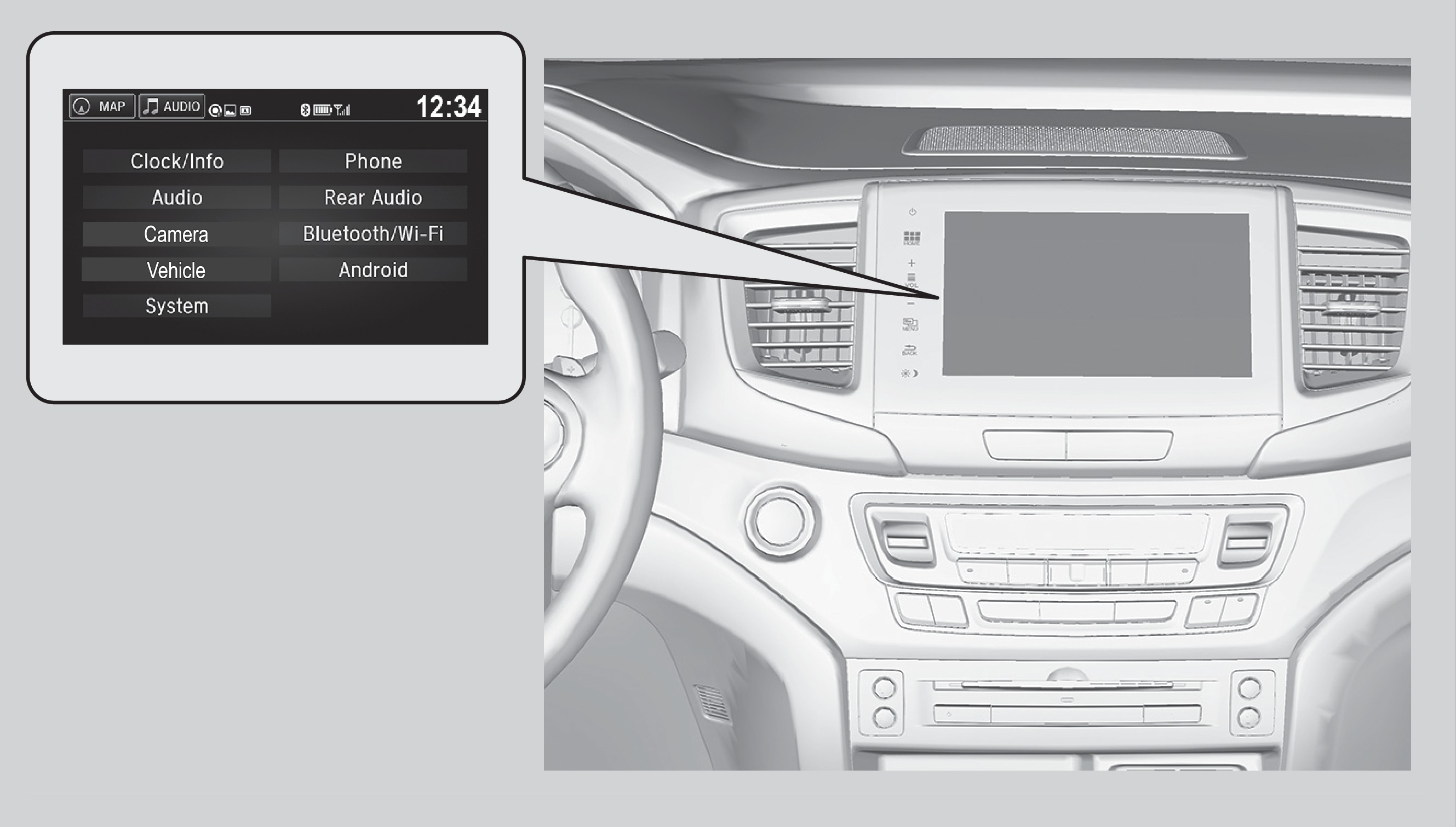
- From the HOME screen, select Settings.
- Select a setting option, and make your preferred changes.
- Press BACK to exit the menus.
*if equipped
Customization Example: Door Lock/Unlock Settings
Models with Display Audio
To customize the door lock/unlock settings, follow the steps below when the vehicle is stopped and the power mode is ON. Use the audio/information screen.
- Press HOME.
- Press Settings.
- Press Vehicle.
- Select Door Setup.
- To customize door lock settings, press Auto Door Lock
- To customize door unlock settings, press Auto Door Unlock
- Choose a setting.
- The default lock setting is With Vehicle Speed
- The default unlock setting is All Doors when Driver's Door Opens
- Select BACK or press the HOME button when you are done.
Models with color audio
See "Customizing Door Lock Settings".
Stored owner’s manualImported HTML from the shared Autotk manuals tables. Not an official Toyota site.